
How to register for Hajj on Nusuk
All Hajj registration for pilgrims from Norway happens on Nusuk Hajj (hajj.nusuk.sa) — the official platform of the Saudi Ministry of Hajj and Umrah. Here you will find a complete step-by-step guide to the registration itself. Need help? We guide you completely free of charge. You will find prices and what is included on the Hajj page.
Registration step by step
The guide below is based on the official Nusuk Hajj user manual. Registration is free, and you can save and continue later at any time.
Go to hajj.nusuk.sa
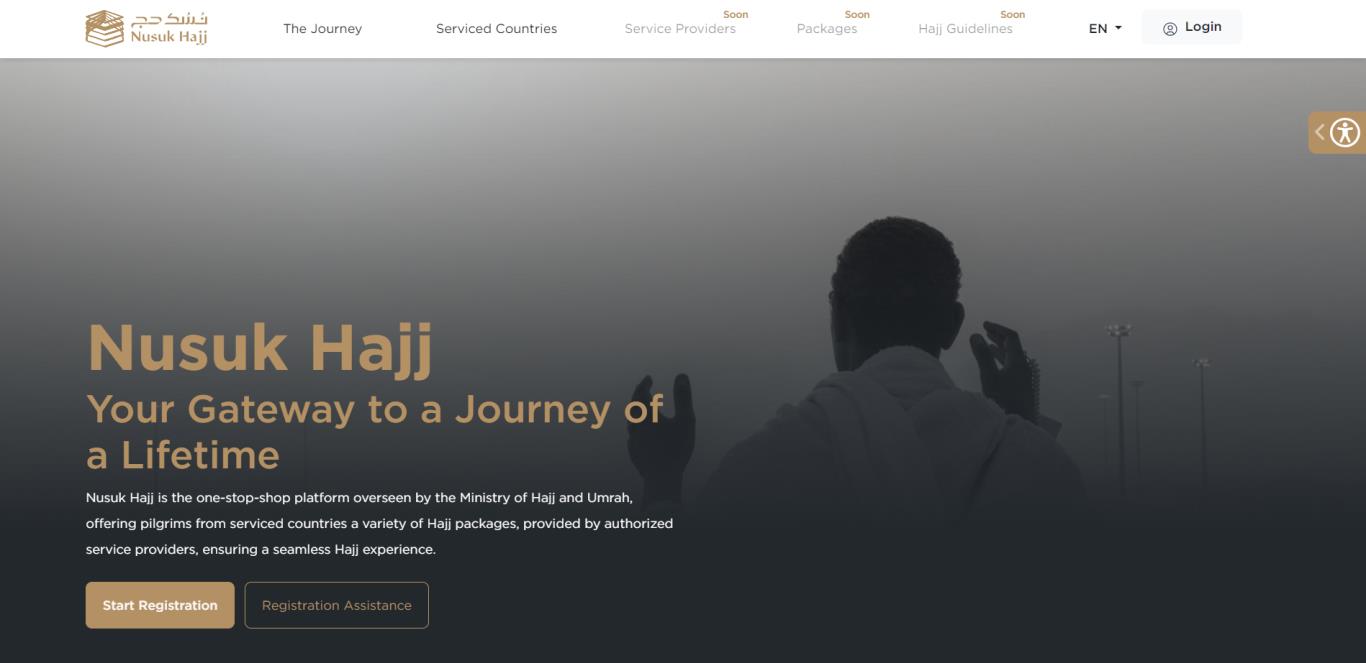
Open hajj.nusuk.sa and press "Start Registration" on the home page. If you need help along the way, "Registration Assistance" is right next to it — with FAQ, live chat, email and phone support.
Create an account
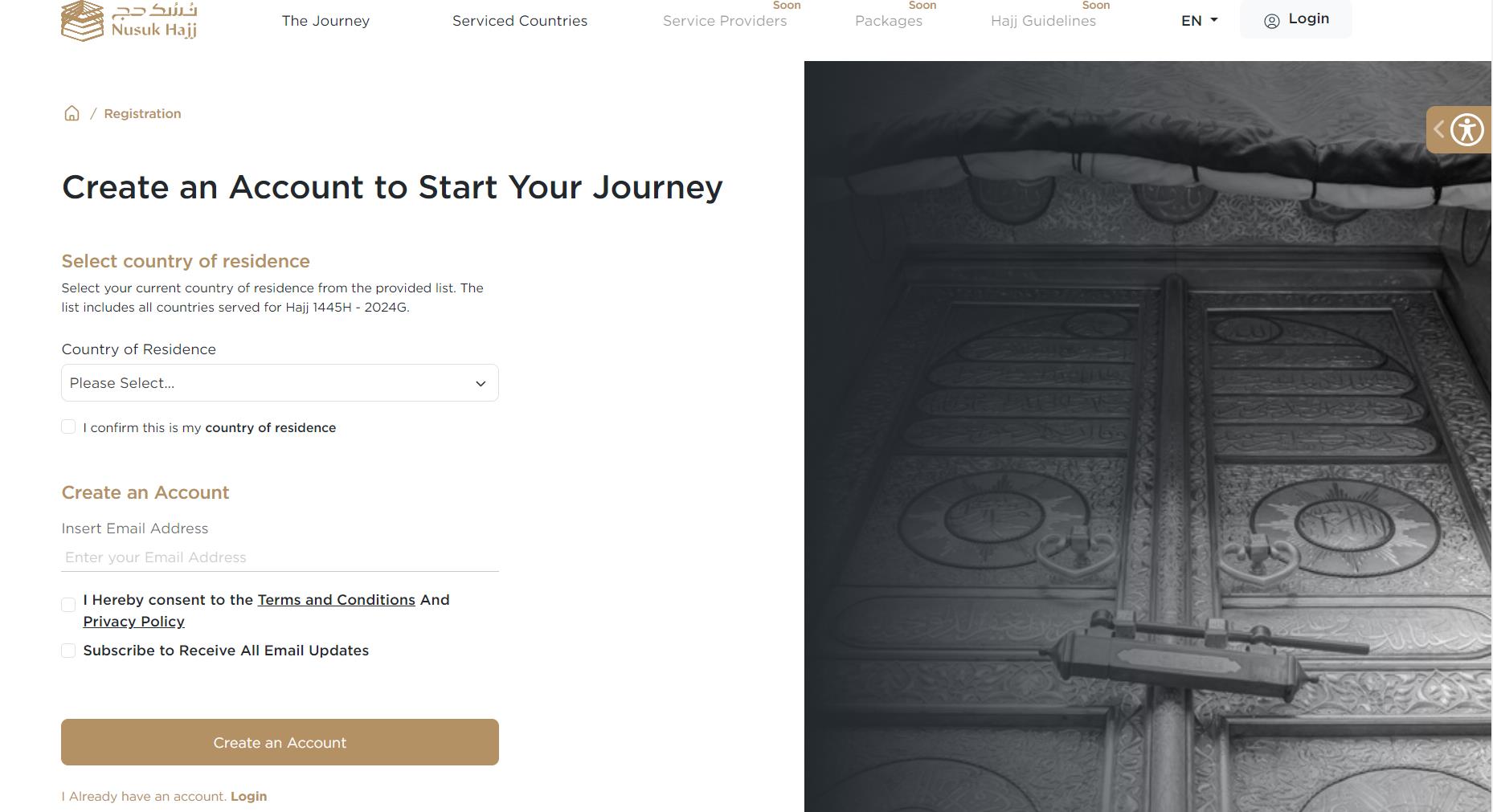
Select Norway as your country of residence and tick the confirmation box. Enter your email address, read and accept the terms and conditions, and press "Create an Account".
Verify your email and create a password
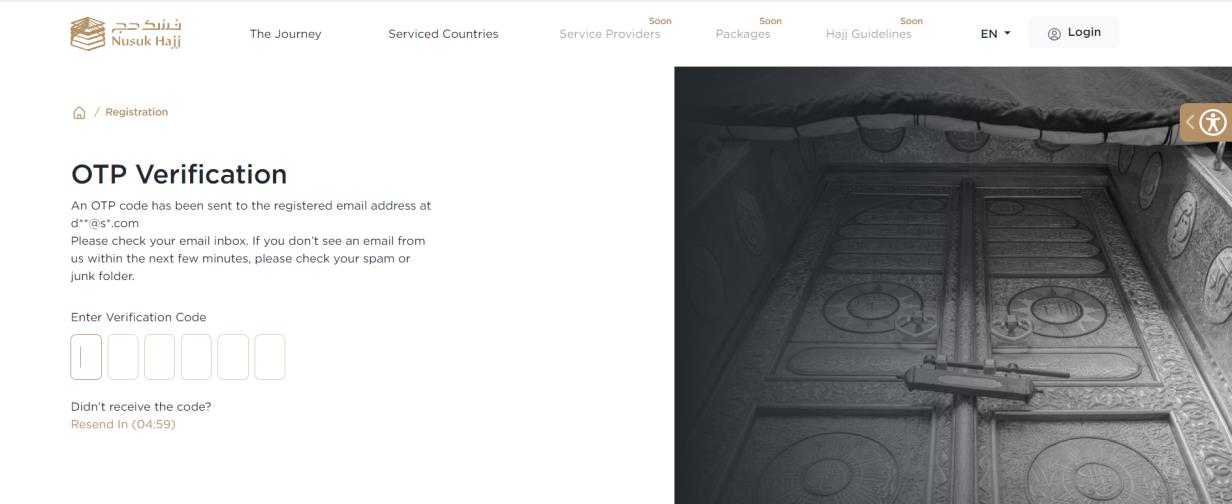
You will receive a one-time code (OTP) by email — check your spam folder if it does not arrive. Enter the code, then create a password that meets the requirements shown on the page. Press "Create Account" and "Ok", and you will be taken to the login page.
Log in
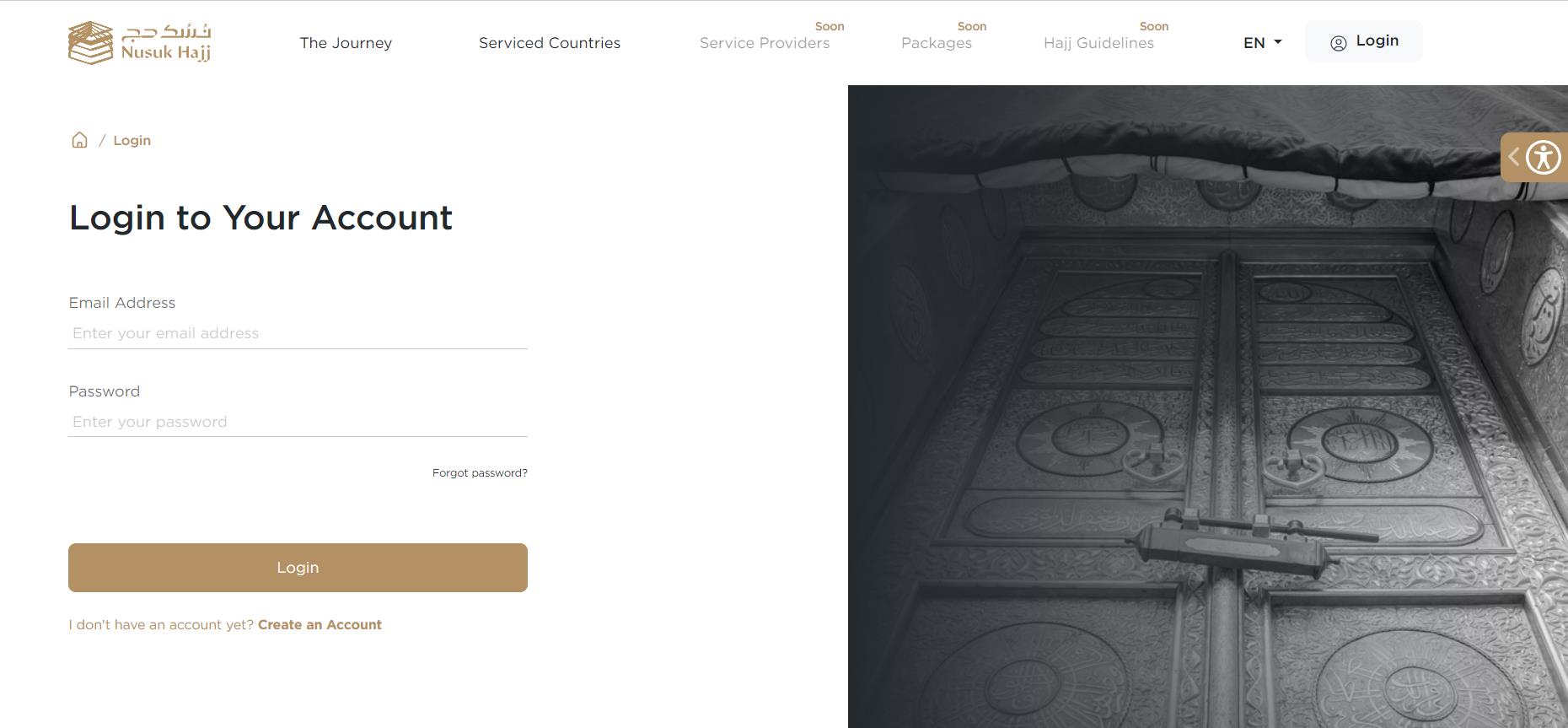
Log in with your email address and password. Each time you log in, a new verification code is sent to your email.
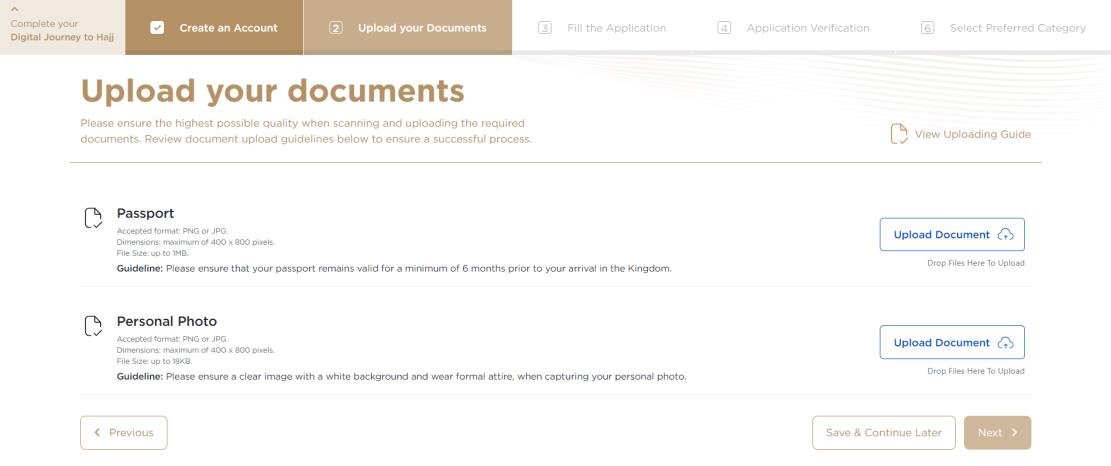
Upload your documents
Upload a copy of your passport and a personal photo (PNG or JPG). The passport must be valid for at least 6 months after arrival in Saudi Arabia, and the photo must have a white background. Later in the process you will also be asked for a proof of residence — for example a residence permit, employment contract or lease agreement. You can press "Save & Continue Later" at any time.
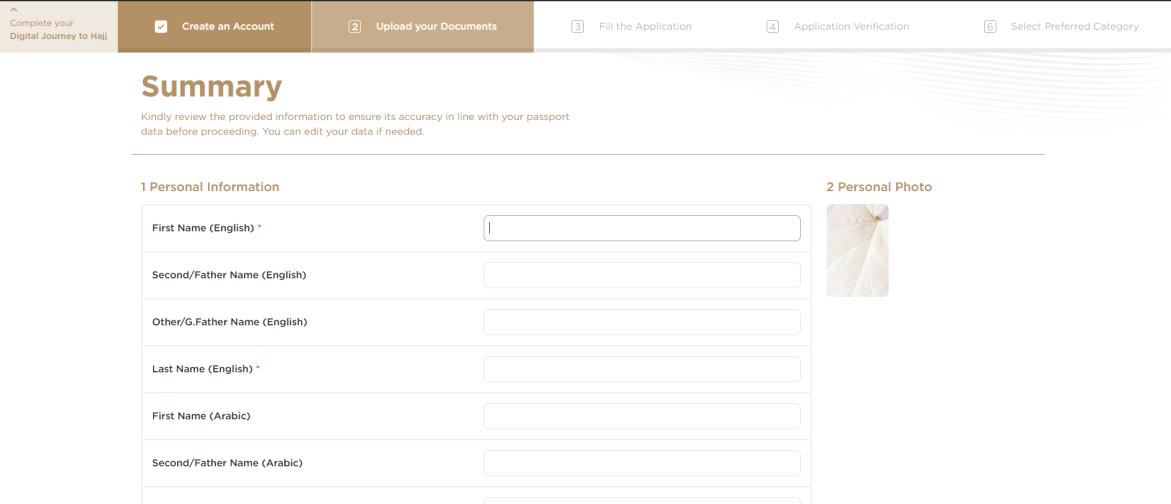
Review the summary
Check that your personal details match your passport exactly — errors can affect your visa and flights. Tick the boxes confirming the details are correct, press "Submit" and confirm with "Continue to submit".
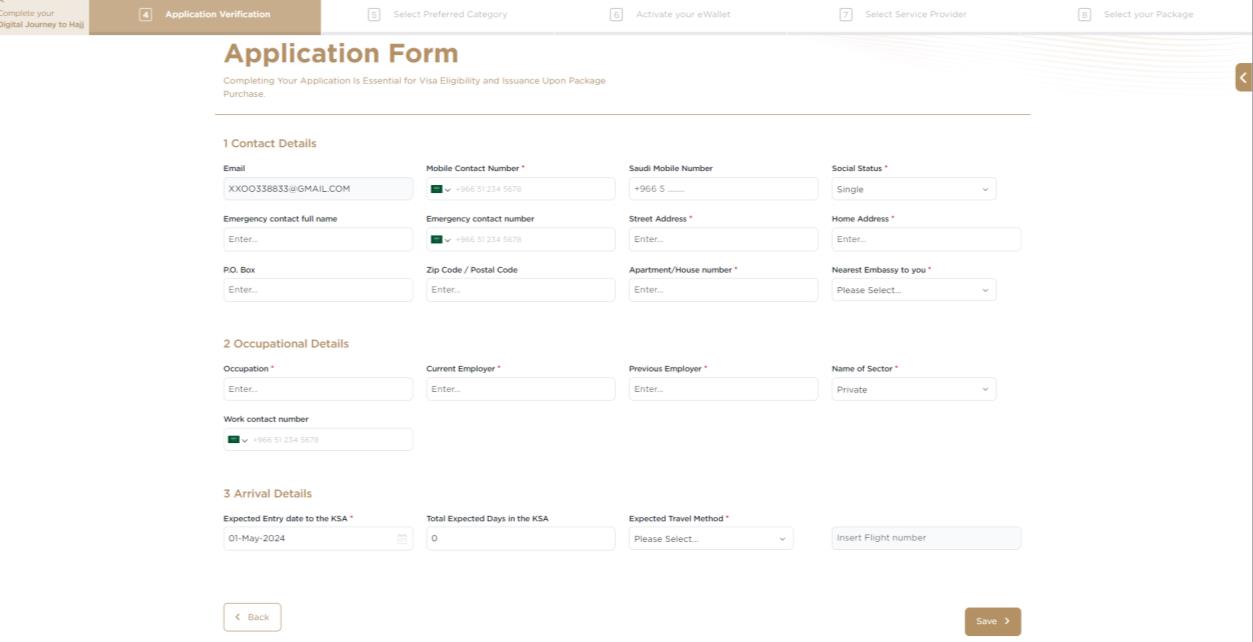
Fill in the application form
Fill in your contact details (phone, address, emergency contact), occupational details and expected arrival details. Then answer the background questions in two parts, and state any accessibility requirements, health conditions and allergies.
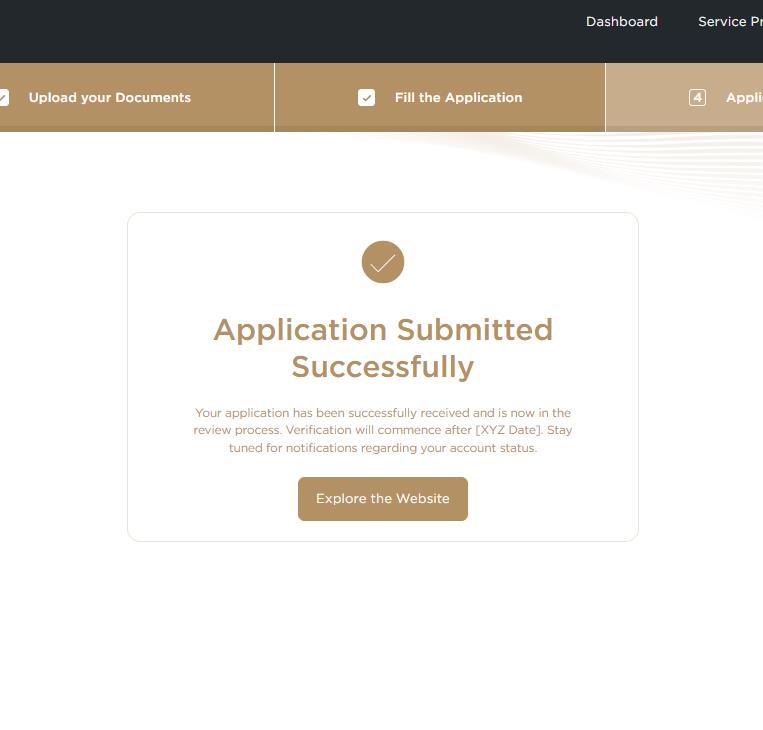
Submit the application
Go through the final summary, approve the checkboxes and press "Submit". You will see the confirmation "Application Submitted Successfully" — your application is now under review.
Follow your application status
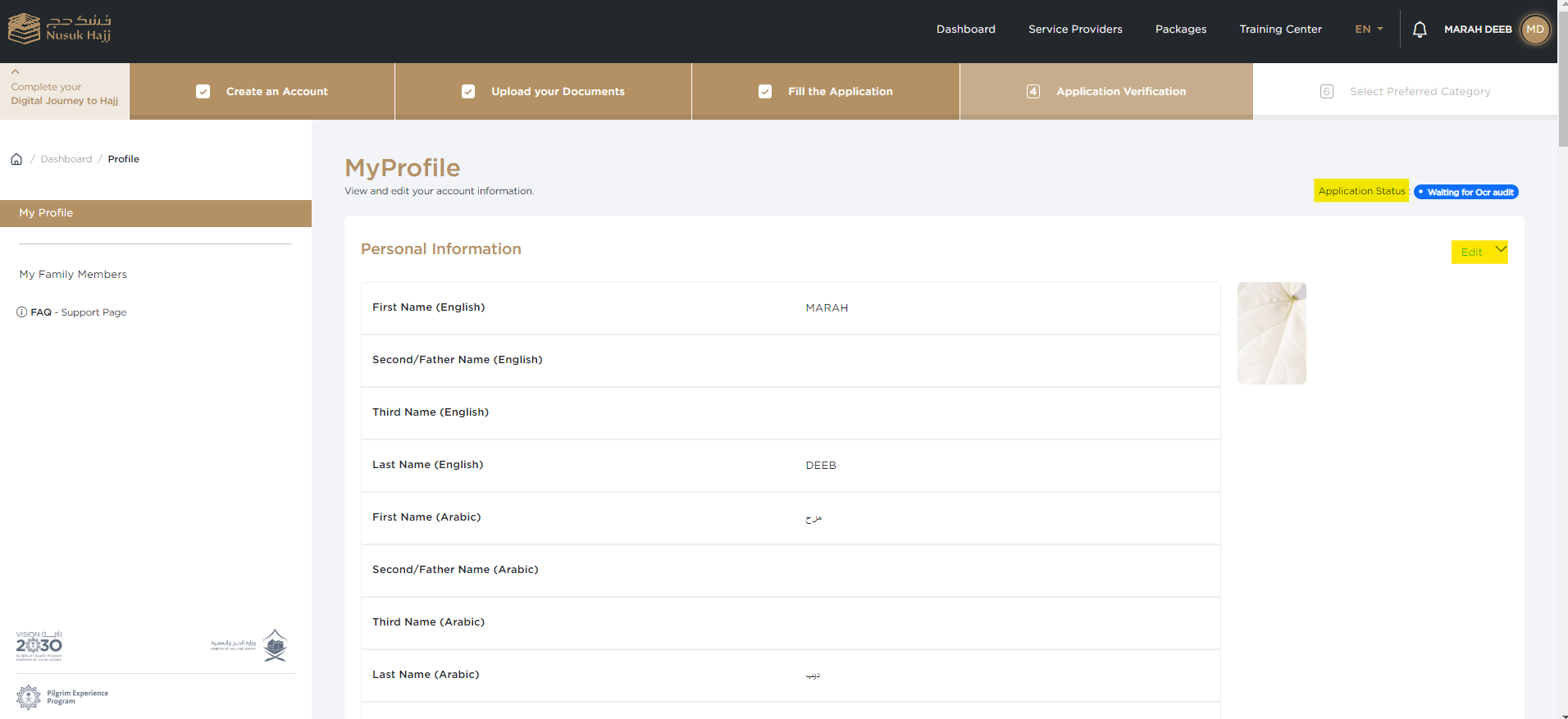
Under "My Profile" you can see your application status: under verification, verified or rejected. If your application is rejected, you receive an email with the reason — correct the details and the application automatically goes back for a new review.
Add family members (optional)
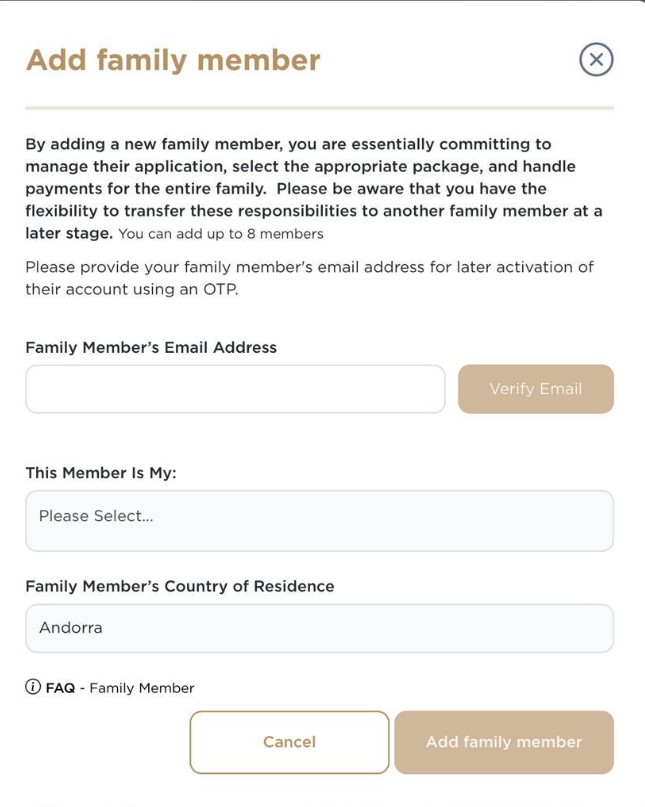
You can register up to 7 family members under the same account. Enter their email address, relationship and country of residence — the member receives a one-time code by email. As the main registrant you manage the application, package selection and payment for the whole family, and you can later transfer this responsibility to another member.
Select your preferred category
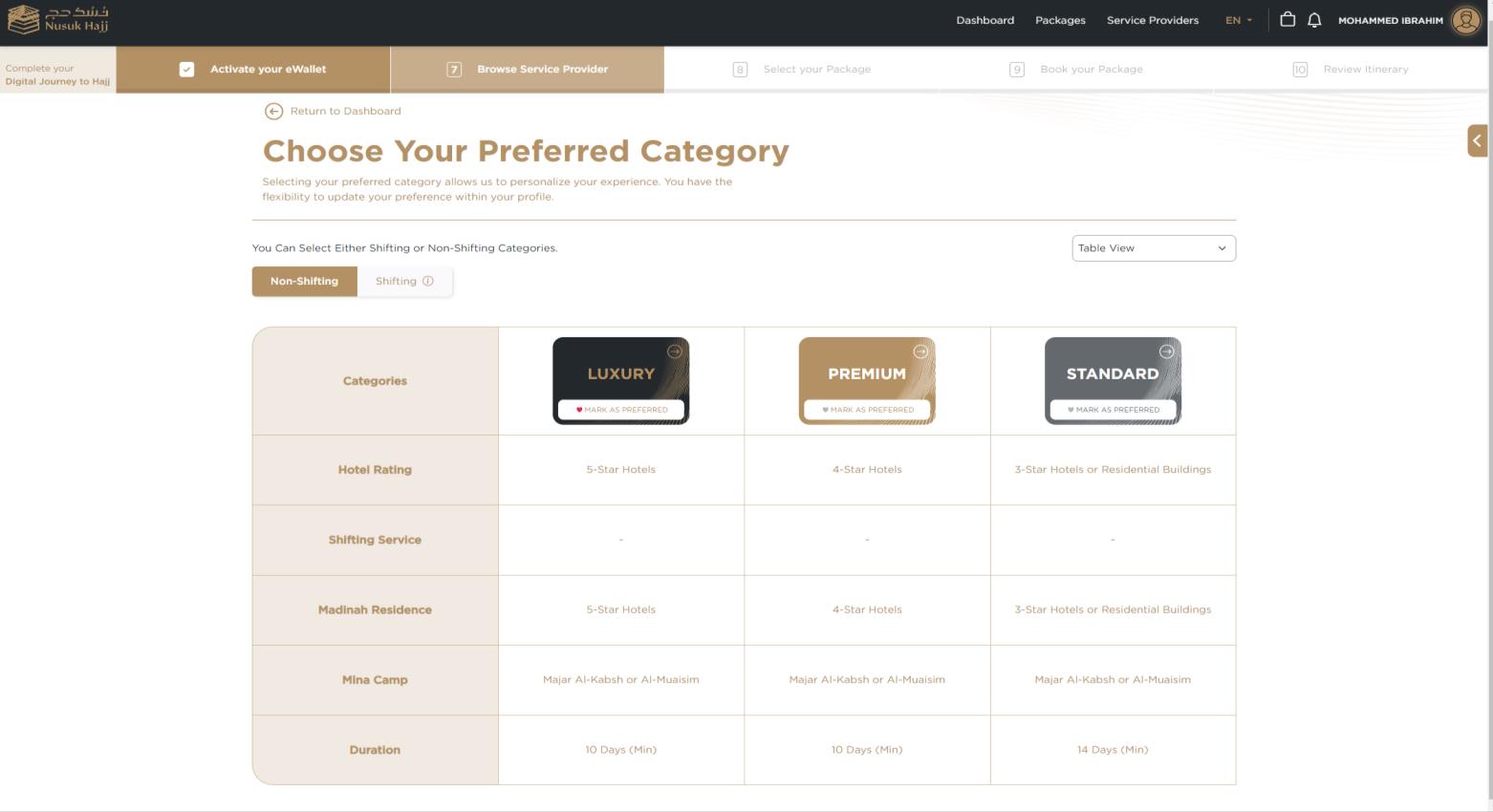
Once your application is verified, you can view the package categories and mark the one you prefer with "Mark as Preferred". The categories are Luxury (5-star hotels), Premium (4-star) and Standard (3-star or residential buildings).
What comes next: eWallet and booking
After verification, you activate your eWallet (payment by card or bank transfer), select Al Bait Guests as your service provider and book the package once it is published. Your eWallet balance must cover the full package price before booking. We will notify the WhatsApp group when the packages are ready — and we are happy to help you through the whole process.
Official Nusuk support channels
If you get stuck, Nusuk has its own support channels:
Social media
@Hajj_NusukRegister for Hajj today — we help you for free
Registration on Nusuk is free, and all guidance from Mishkaat is completely free of charge too. Book an appointment at our office at Grønland Basar, join the WhatsApp group, or fill in the Hajj 2027 interest form — and we will get in touch.